You have a concept for a Reel. No usable footage in your camera roll. The stock clip you found is the same one three other accounts used this week. You either film something yourself — wrong lighting, wrong location — or you skip the post entirely and lose the momentum.
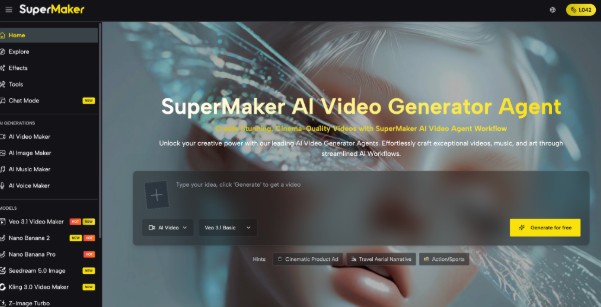
Generating original video from a text description is now fast enough to fit a daily posting schedule. Tools like AI Video Maker on SuperMaker turn a scene description into a vertical, ready-to-post clip with native audio in under 60 seconds — no camera, no editing software, no account required to start. This article covers exactly what the platform offers and how to get your first clip done today.
Why Consistent Short-Form Posting Is Harder Than It Looks
Posting 5–7 times a week on TikTok, Reels, or Shorts sounds manageable until you hit the footage problem.
- Original filming takes time and equipment most creators don’t have on hand. A usable clip requires decent lighting, a clean background, and a stable shot — none of which are guaranteed when you’re posting from home or a phone. Reshooting a 15-second clip three times eats an hour you don’t have.
- Stock footage is recognizable and overused. The same travel drone shots and coffee shop lifestyle clips cycle through thousands of accounts. Audiences clock them instantly, and familiar footage signals low effort regardless of how good the caption or audio is.
- Trending sounds and formats move faster than production timelines. A format that’s peaking today has a 48-hour window before saturation. If sourcing footage takes longer than that, the post lands late and performs accordingly.
What SuperMaker AI Video Maker Actually Lets You Do
SuperMaker packages multiple leading AI video models into one interface built specifically for creators who need output fast, in the right format, without a production pipeline.
Core Video Generation
- Text to Video is the main engine. Describe a scene — subject, setting, camera style, lighting, mood, audio — and the platform generates a vertical clip with native synchronized sound in under 60 seconds. For short-form creators, this means generating the b-roll, transition clip, or visual hook you need for a specific post without filming anything. The platform runs Veo 3.1 for cinematic quality with native audio, Seedance 2.0 for smooth realistic motion, and Kling 3.0 for stylized or creative output. Each model produces a noticeably different look from the same prompt, so running two variations to pick the stronger one takes under two minutes total.
- Image to Video animates an uploaded photo or graphic into a moving clip. A product flat-lay becomes a slow pan with ambient sound. A portrait photo gains subtle motion and atmosphere. For creators who have strong still images — from brand partnerships, product reviews, or personal shoots — this converts existing assets into video without re-shooting anything.
- 9:16 Native Output generates clips composed specifically for vertical viewing — the framing, subject placement, and motion are built for portrait format from the start, not cropped from a landscape master. This matters for TikTok and Reels where off-composition vertical crops are immediately visible and signal rushed production.
Supporting Tools
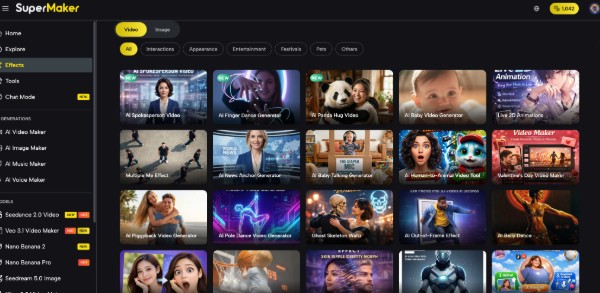
- AI Spokesperson Video generates a talking-head clip with a virtual presenter — useful for product review formats, announcement posts, or tutorial content where a human presenter fits the format but appearing on camera isn’t what you want that day.
- Multi-Model Comparison lets you generate the same prompt across different models in one session and compare outputs before downloading. For creators building a consistent visual style across a series of posts, this makes it easier to identify which model matches your channel’s aesthetic and stick with it.
All models, outputs, and assets are managed from one account without switching platforms or managing separate subscriptions. One practical limitation: individual generations run at 5–8 seconds — for a 30-second Reel, you’ll assemble three to five clips in your editing app, which is standard short-form workflow anyway.
How to Get Your First Clip in Under 10 Minutes
No installation. No credit card. Go to AI Video Maker and follow these steps.
Step 1 — Choose Your Model
Select Veo 3.1 for a cinematic, audio-rich result. Choose Seedance 2.0 Fast if you want output in the shortest possible time. Pick Kling 3.0 for a more stylized or artistic look. Each model shows example outputs on the selection screen.
Step 2 — Set Format and Describe Your Scene
Select 9:16 before writing your prompt — it affects how the scene is composed. Then describe your clip with specifics: subject, action, setting, camera style, mood, and any audio detail you want included.
Step 3 — Generate 2–3 Variations
Run the same prompt two or three times with small adjustments — different lighting, slightly different framing — and compare before committing. Output varies meaningfully between runs even on identical prompts.
Step 4 — Download and Edit
Export your chosen clip and drop it into CapCut, InShot, or your preferred editing app. Audio is already embedded — no separate sync step, no format conversion needed before posting.
FAQ
Can I use SuperMaker AI Video Maker clips commercially on TikTok and Instagram?
Yes. All generated content includes full commercial use rights — suitable for monetized accounts, brand partnership content, and paid promotions.
How does 9:16 output differ from just cropping a landscape clip to vertical?
Native 9:16 generates the composition specifically for portrait — the subject is framed and the camera movement is designed for vertical viewing, not adapted from a widescreen original.
Is SuperMaker actually free to use, or is there a hard credit limit?
Free credits are available on sign-up with no credit card required. Each generation uses credits; paid plans suit creators posting at high volume. The free tier covers enough generations to evaluate output quality across models.
What kinds of short-form content does AI video generation work best for?
Strong results for b-roll, scene-setting clips, product visuals, transition content, and atmospheric hooks. Less suited to content requiring a recognizable real person on camera or precise brand asset accuracy.
How does this compare to filming on a phone with a ring light?
Phone filming gives you authentic, personal footage — AI generation gives you any scene or setting regardless of where you are or what you have available. Most creators use both: AI for supplemental b-roll and set-piece visuals, phone for talking-head and personal content.
Start Posting
Short-form video doesn’t have to stall when you don’t have footage — AI generation fills the gap in the time it takes to film a clip that doesn’t quite work. The platforms reward consistency, and consistency requires a production option that fits daily output speed.
SuperMaker AI Video Maker is a good place to start — 9:16 output built in, multiple models to compare, no account friction for your first generation. Worth opening before your next post slot goes unfilled.