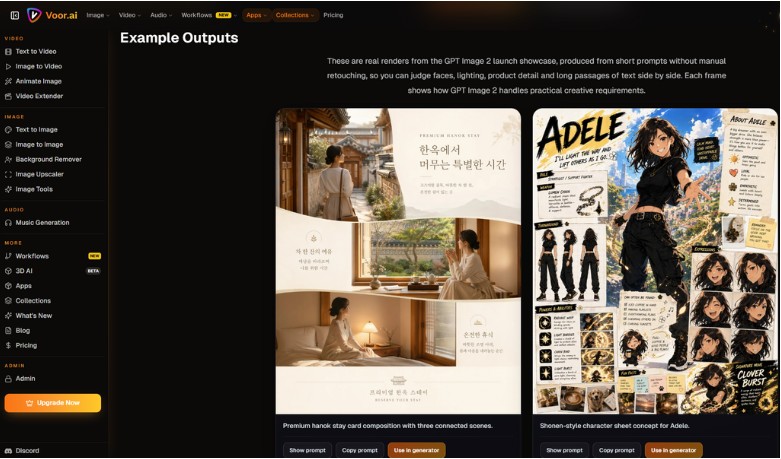
GPT Image 2 is OpenAI’s most capable image model for real production work — it renders readable headlines in multiple languages, plans layout before drawing pixels, and edits photos without breaking identity or brand cues. On Voor AI, you can run the GPT Image 2 online in both text-to-image and image-to-image modes: write a scene-style prompt or upload a reference photo, then get review-ready posters, product shots, slides, and infographics in seconds.
What Is GPT Image 2?
GPT Image 2 is OpenAI’s flagship image generation and editing model. It is the direct successor to gpt-image-1 and the model behind ChatGPT Images 2.0 replacing DALL-E 3 for most professional workflows.
Unlike earlier diffusion models that painted pixels first and hoped text would look right, GPT Image 2 uses a reasoning-aware pipeline: it reads your brief, plans composition and typography, then renders. That architectural shift is why headlines, data labels, and multilingual copy stay legible instead of melting into noise.
Core capabilities
| apability | What it means in practice |
| Text-to-image | Generate from a written scene-style brief |
| Image-to-image | Edit a reference photo with plain-language instructions |
| Multilingual typography | Chinese, Japanese, Hindi, Arabic, Cyrillic, Bengali, and more |
| Layout planning | Structures complex frames before rendering pixels |
| 2K resolution | Native output up to 2048×2048 |
| Multi-image consistency | Up to 4 coherent images from one prompt for campaigns |
Voor AI workflow at a glance
Voor AI is built around a simple, repeatable creative loop — no installs, no node graphs, no switching between apps:
- One browser studio — image, video, and audio tools share the same interface and credit balance
- Describe → generate → refine — write a prompt or upload a reference, review the output, tighten the brief, and rerun until it lands
- Dedicated model pages — tools like GPT Image 2 open with the right model already selected, so you start creating immediately
- Chain across tools — turn a still into a video, extend a clip, or add music without leaving the platform
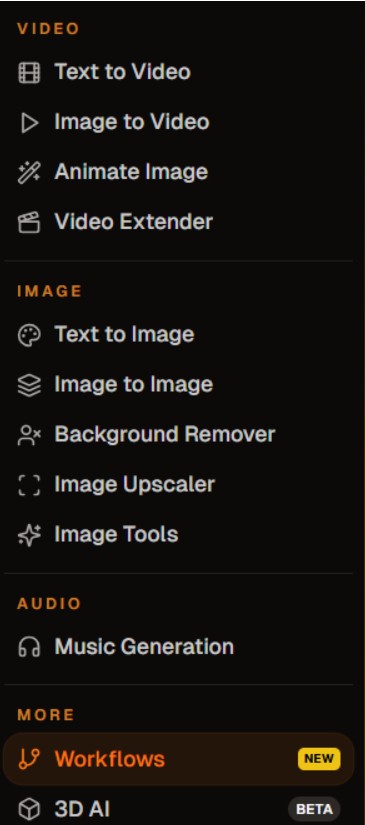
How to use Voor AI — 6 steps
- Go to voor.ai and sign up for free — you get daily credits to start, no credit card required
- Pick a tool from the menu — for images, try GPT Image 2, or explore text-to-video, image-to-video, and music generation
- Choose your input mode — text-to-image (from words), image-to-image (from a reference photo), or the equivalent for video and audio
- Write a scene-style prompt — describe subject, setting, mood, and put any on-screen text in quotes
- Set size, quality, and format, then click Generate — review, refine the prompt, and rerun until the result is right
- Download your asset or chain it into the next tool (e.g. animate an image into a short video)
GPT Image 2 prompt tips
- Lead with the subject, then add environment, lighting, and mood
- Put every headline, CTA, and label in quotation marks — the model treats quoted text as sacred
- Pick the aspect ratio first — horizontal for banners, square for ads, 9:16 for story reels
- For edits: list what to preserve (identity, wardrobe, pose) and change one axis per pass
- Scene sentences beat keyword lists
Example prompt: Create a square product ad for a skincare bottle on clean marble, soft side light, premium editorial style. Headline “Hydrate Smarter” top-left, CTA “Shop Now” bottom-right. Minimal background, no extra text.
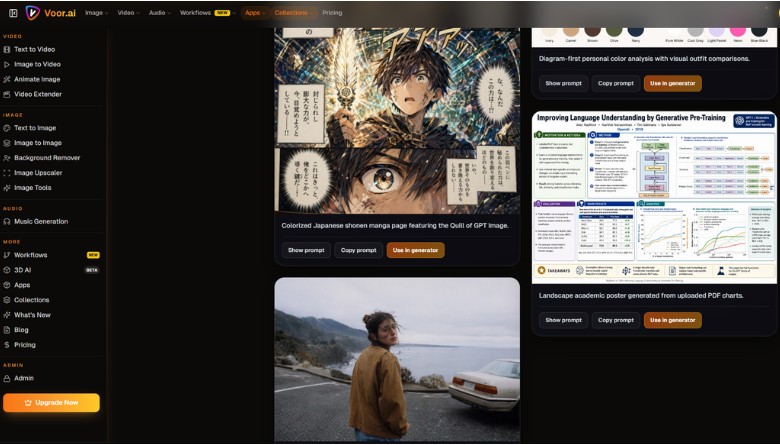
When to Choose GPT Image 2
- Copy-heavy creatives — ads, event posters, pitch deck covers with headline + CTA + legal line
- Multilingual campaigns — localize visuals into Chinese, Hindi, Japanese, or Arabic without switching tools
- Controlled photo edits — change background, lighting, or wardrobe while preserving identity
- Infographics & UI mockups — labeled columns, buttons, and data annotations that stay readable
- Production pipelines — stable enough for CMS publishing, A/B tests, and creative automation
Conclusion
If your workflow depends on readable text, stable layout, and fast iteration, GPT Image 2 is the right tool for 2026. On Voor AI, you get the GPT Image 2 AI alongside video, image, and audio generation in one studio. Start at GPT Image 2, write one scene-style prompt, and see how quickly a brief becomes a finished visual.