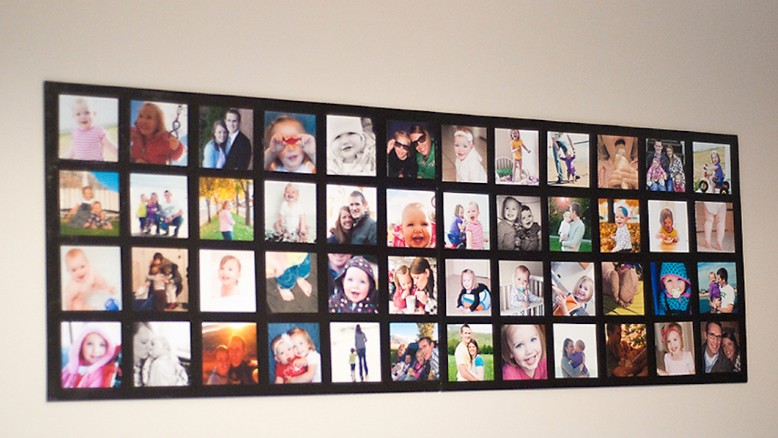
Finding the right photo is only half the battle. Editing it so it looks amazing, unique, and ready for your content is the other half. Whether you’re a blogger, social media creator, journalist, or just someone who wants their visuals to pop, the right tools make all the difference. In 2025, there’s a ton of software, apps, and platforms that make both sourcing and editing photos faster, smarter, and more fun.
1. Vecteezy — Editorial and Creative Images That Don’t Feel Stocky
Vecteezy has become a favorite for creators who want photos with personality. Its editorial and lifestyle collections are especially handy for blogs, nonprofits, and social campaigns. It is especially popular with sports journalists that need game-day photos and writers covering the latest in news. What’s cool: it separates commercial stock from editorial images clearly, so you don’t have to second-guess licensing. Plus, the website’s interface is fast and easy to browse, which is great if you’re hunting for something specific.
Pro tip: Use Vecteezy’s lightbox feature to save and organize images before you even download them, it makes later editing way easier.
2. Unsplash — Free, Gorgeous, and Hyper-Searchable
Unsplash is like the “hipster cousin” of stock photography: free, high-res, and full of lifestyle, travel, and nature shots that don’t scream “stock photo.” Its search engine has gotten smarter in 2025, suggesting images based on style and composition, not just keywords.
Pro tip: Pair Unsplash with a tool like Canva or Figma for quick layout and editing—they integrate beautifully with Mac and PC.
- Canva — Editing Made Ridiculously Easy
Canva isn’t just for creating social posts; it’s a powerhouse for quick photo edits. You can crop, apply filters, remove backgrounds, adjust colors, add text overlays, and even use AI-powered background suggestions. Its templates are a lifesaver if you want to maintain consistent brand visuals.
Cool feature: Canva’s Magic Edit tool can remove objects, replace backgrounds, or enhance photos with a single click. Perfect when you need something that feels custom but don’t want a heavy desktop editor.
4. Adobe Photoshop Express & Lightroom — Power and Precision in Your Pocket
Not everyone wants to open a full desktop Photoshop project, but Photoshop Express and Lightroom give you powerful editing tools on your phone or tablet. Lightroom’s presets make color grading fast and consistent, while Photoshop Express handles object removal, healing, and retouching like a mini professional studio.
Pro tip: Sync Lightroom presets across devices for a cohesive look across your social feeds or blog series.
5. Remove.bg — Instant Background Removal
Sometimes, the hardest part of editing is making your subject pop. Remove.bg automatically isolates people, objects, or products from any background in seconds. It works with JPEGs, PNGs, and integrates with Canva, Photoshop, and Figma.
Pro tip: Use Remove.bg to prep images for compositing or for creating overlays that can be dropped directly into presentations, videos, or social posts.
6. Pexels & Pixabay — Free Photos With a Twist
Both Pexels and Pixabay are free, but they’re more than just repositories. They offer videos, GIFs, and even AI-generated visuals. You can find really unique images here that don’t feel overused. They’re great when you need visual variety but don’t have a big budget.
Pro tip: Combine these platforms with Vecteezy or Unsplash to mix free editorial-style images with premium stock for a unique look.
7. Snapseed — Mobile Editing That Feels Magical
If you’re editing on the go, Snapseed is one of the best free mobile editors out there. It offers selective adjustments, perspective correction, curves, filters, and even double-exposure effects. It’s a little more hands-on than Canva, but perfect for creators who like to tweak every detail.
Pro tip: Snapseed’s “Stacks” let you save your edits and apply the same adjustments to multiple photos—huge time saver.
Workflow Tips for Finding and Editing Photos Efficiently
- Start With a Search System: Bookmark your go-to stock sites (Vecteezy, Unsplash, Pexels) and keep organized folders for editorial vs commercial images.
- Batch Downloads: Don’t download one photo at a time—pick 5–10 and move them into a project folder for faster editing.
- Edit Before You Add Text: Clean up and color-correct images first, then overlay text or design elements.
- Use Cloud Sync: Tools like Lightroom, Canva, and Photoshop Cloud Libraries let you access edits across Mac, iPad, or PC instantly.
- Keep Licenses and Attribution Ready: Always note where each photo came from and its license type—you’ll save headaches later.
Bottom Line
In 2025, finding and editing photos is faster, smarter, and more creative than ever. Platforms like Vecteezy, Unsplash, Pexels, and Pixabay make sourcing simple, while tools like Canva, Lightroom, Photoshop Express, Snapseed, and Remove.bg help you make those images truly pop. The secret isn’t just in finding the photo—it’s in creating a workflow that lets you search, edit, and publish efficiently.