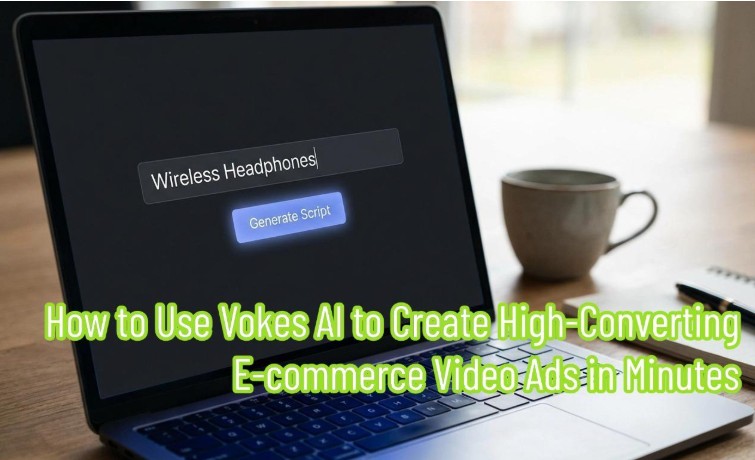
In today’s cutthroat world of cross-border e-commerce and digital marketing, video content is your “ace in the hole” for driving traffic.
As a seller, you’ve probably felt the pain: you want to shoot a high-quality ad for a new product, but you get stuck. Expensive studio rentals, complicated lighting setups, and foreign models who charge by the hour are enough to make anyone quit. Not to mention the headache of video editing afterwards.
But what if I told you that you could create a commercial ad that rivals a professional studio in the time it takes to drink a cup of coffee using just your laptop?
This guide will take you deep into Vokes AI. This isn’t just a simple tool; it is a market-leading AI video generator. Whether you are a design newbie or a editing beginner, by the end of this article, you will master how to use it to build a high-converting product video from scratch.
Feature Breakdown: Unboxing the Vokes AI Toolbox
Before we dive into the tutorial, let’s “unbox” the powerful weapons Vokes AI has ready for us. Many people mistakenly think it’s just for voice synthesis. In reality, it is a full-process AI product video maker. Its core features cover every link in the video production chain:
- AI Product Design: Do you only have a simple product photo with a white background? No problem. This feature helps you instantly synthesize your product into various high-end realistic scenes. No need for on-location shooting; you can generate perfect marketing assets through AI product design.
- Product Description Generator: Don’t know how to write a script? That’s in the past. The built-in product description generator can automatically generate a video script based on your simple keywords that follows marketing logic (Pain Point -> Solution -> Call to Action).
- AI Avatar Maker: Want a real person to explain and increase trust, but don’t want to show your face or hire a model? The AI avatar maker offers dozens of ultra-realistic digital humans of different skin tones, genders, and races, with lip-syncing that perfectly matches multiple languages.
- AI Ad Generator: This is the final assembly factory. It integrates all the above materials to generate a finished video adapted for TikTok, Instagram, or Amazon with one click via the AI ad generator.
Case Study: Creating a Promo Video for “Smart Noise-Canceling Headphones” in 5 Steps
To show you every detail, we will simulate a real e-commerce scenario.
Task: We have a pair of wireless noise-canceling headphones called “SoundMax.” We need to make a 30-second vertical video ad to launch on the TikTok market.
Step 1: Generate a High-Conversion Script with the Product Description Generator
The first step of a video is always the script. A good script determines your video’s completion rate (watch time).
Action Steps:
- Log in to the Vokes AI dashboard and find the “Script Writer” or text generation module.
- Enter the core selling points of the product in the input box. For example: “SoundMax headphones, active noise cancelling, 30-hour battery life, comfortable for travel, waterproof.”
- Key Point: This is where the product description generator shines. In the “Tone” option, don’t just choose “Professional.” I recommend choosing “Persuasive” or “Exciting.”
- Click Generate.
Result Example:
The tool will output a structured script for you in seconds:
- Hook: “Tired of noisy flights ruining your music? Meet SoundMax.”
- Body: (Detailed description of the 30-hour battery life and noise cancellation features.)
- CTA (Call to Action): “Click the link below to get 50% off today!”
You no longer need to rack your brains for copy; AI has already prepared the most attractive pitch for you.
Step 2: Optimize Visual Assets with AI Product Design
With the script ready, we need visuals. Many sellers only have simple white-background photos from suppliers, which look very cheap if used directly in a video. This is where we need the AI product design feature.
Action Steps:
- Enter the image processing section of Vokes AI and click “Upload Image” to upload your white-background headphone photo.
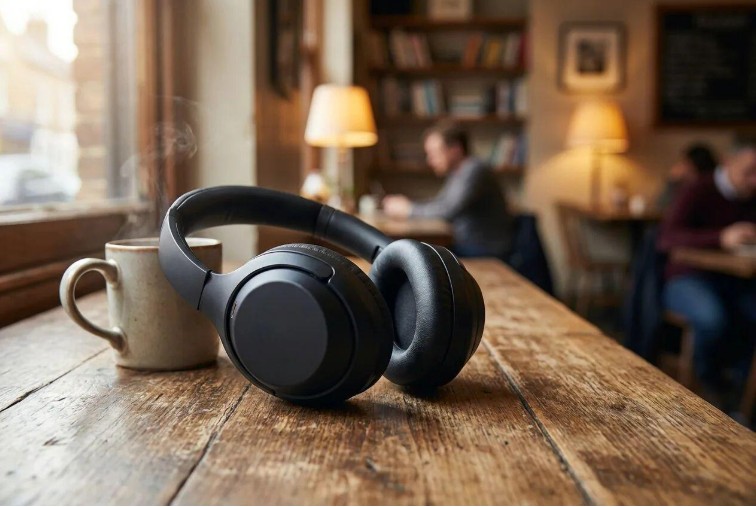
- In the scene description box (Prompt) on the right, describe the environment where you want the product to appear. Since these are noise-canceling headphones, we can set the scene as: “On a wooden table in a busy coffee shop, morning sunlight, high quality, photorealistic.”
- Click Generate.
Operation Details:
You will be surprised to find that AI product design doesn’t just change the background image. It intelligently analyzes the environmental lighting—the originally flat surface of the headphones now reflects the warm yellow light of the coffee shop, and the direction of the shadows blends perfectly with the background.
This image processed by AI product design has reached the standard of professional commercial photography. This will be the core material for the close-up shots in our video.
Step 3: Customize a Brand Spokesperson via AI Avatar Maker
Current short video algorithms really love “real people” on camera because human faces hold the audience’s attention better. As a powerful AI video generator, Vokes AI allows us to create an exclusive brand spokesperson.
Action Steps:
- Enter the AI avatar maker module.
- Browse the Avatar Library. Note: For our tech product, we might choose a young male figure who looks approachable and is dressed in modern style.
- Pro Tip: If you want to target a specific market, such as the Spanish-speaking market, you can choose a Latino digital human in the AI avatar maker.
- Choose the avatar’s clothing style, such as “Casual Tech,” to fit the usage scenario of headphones.
- After selecting the image, we will combine him with the script generated in Step 1. This step is crucial as it determines whether your video feels lively and natural.
Step 4: Synthesizing the Video with the AI Product Video Maker
Everything is ready: we have a tempting script, movie-quality product images, and a professional virtual spokesperson. Now, we need to act like a director and combine these elements.
Action Steps:
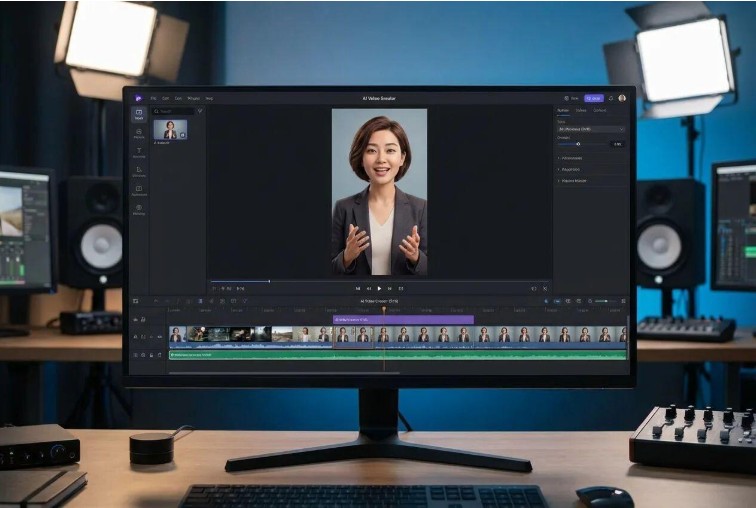
- Inputting the Script: In the editor interface, paste the text generated in Step 1 into the audio track. The system will automatically convert the text to speech and drive the digital human selected in Step 3 to lip-sync perfectly.
- Visual Editing: This is where the AI product video maker truly becomes powerful. To prevent the audience from getting bored by staring at the avatar the whole time, we need to weave in visuals on the timeline.
- Example: When the avatar says “Active noise cancelling,” you can drag and drop the “coffee shop scene” image generated in Step 2 to overlay the screen for 3-5 seconds.
- Adding Captions: Turn on the “Auto-Caption” feature. On social media, many people watch videos on mute, so subtitles are a must.
Operation Details:
The Vokes AI editor is incredibly intuitive, featuring simple “drag-and-drop” operations. You don’t need to understand professional keyframes or masking techniques; the AI product video maker automatically handles transitions, making the switch between the avatar and the product close-ups look smooth and natural.
Step 5: Adapting for Multiple Platforms with the AI Ad Generator
The video is made, but don’t rush to export just yet. Different platforms require different sizes and styles. For instance, TikTok uses a 9:16 vertical screen, while the Facebook Feed might need a 1:1 square.
Action Steps:
- Enter the AI ad generator module and select your target publishing platform (in this case, TikTok).
- The system will automatically crop the video frame, ensuring the avatar and product are always in the center of the screen (Smart Center feature).
- Add Marketing Elements: Use the sticker library built into the AI ad generator to add eye-catching dynamic stickers. For example, add a flashing “50% OFF” or “Shop Now” button at the end of the video.
- Click “Export” and select 1080P high definition.
At this point, a commercial ad driven entirely by AI—from script to visuals—is born. The whole process likely took less than 30 minutes.
Optimization Tips: How to Make Your AI Video Look Professional
While the tool is powerful, to turn a video from “passable” to “viral,” you need to master some advanced mindset tricks for using an AI video generator.
Tip 1: The Human Touch in Scripts
The copy generated by the product description generator is logically strong, but sometimes it can feel a bit robotic.
- Advice: Based on the generated results, manually add some interjections, rhetorical questions, or current internet slang. For example, change “It is very fast” to “It’s blazing fast, seriously!” This gives the avatar’s delivery more warmth and reduces the “machine” feel.
Tip 2: Switch Scenes to Increase Retention
A common mistake newbies make when using an AI video generator is using a single continuous shot.
- Advice: Human attention spans are short. Be sure to use AI product design to generate multiple product images from different angles and backgrounds (like an office, subway, or bedroom), and switch the visual every 3-5 seconds. Rich visual information effectively boosts completion rates.
Tip 3: A/B Test Your Avatar
You can’t be sure which type of narrator your audience prefers.
- Advice: Take advantage of the AI avatar maker’s low trial-and-error cost to quickly make two versions of the video: one with a young, energetic female avatar, and one with a calm, professional male avatar. Run ads for both simultaneously to see which gets a higher click-through rate, helping you find the perfect spokesperson for your brand.
Conclusion: The New Era of AI Video Production
Looking back at our workflow, you’ll realize that Vokes AI isn’t just a single tool, but a complete automated assembly line:
- We used the product description generator to solve the problem of “what to write.”
- We used AI product design to solve the dilemma of “having no photos.”
- We used the AI avatar maker to solve the difficulty of “who should speak.”
- Finally, we completed efficient assembly and distribution through the AI product video maker and AI ad generator.
For small and medium-sized sellers, this means you no longer need to wait weeks or spend thousands of dollars to shoot a video. You can focus your energy on product testing and market strategy, leaving the tedious content production entirely to AI.
Now, it’s your turn. Don’t just read this—open Vokes AI and try making your first AI video ad today!